
Admin tools keep the Content Tracker stable. They repair validation, restore system behavior after heavy edits, and reset parts of the sheet when needed. None of these actions delete your content unless the tool specifically says so.
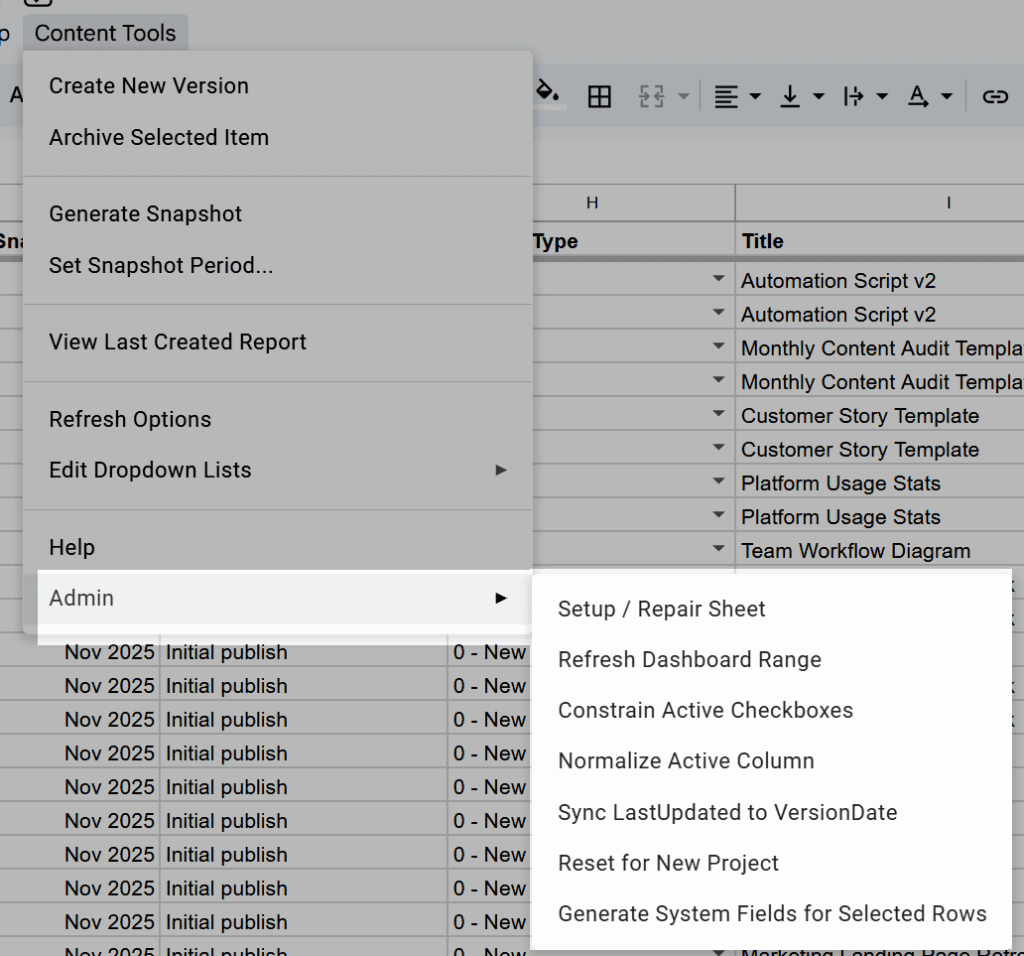
Setup / Repair Sheet #
Restores the sheet’s core structure and system behavior.
This tool rebuilds dropdown validation (Platform, Type, Status, ChangeType, Product), restores required headers if they were renamed or removed, reapplies protections on system fields, ensures Active, VersionDate, and LastUpdated behave correctly, rebuilds dashboard ranges, and fixes issues caused by heavy pasting or formatting changes.
Use this when ItemIDs stop generating, dropdowns break, headers shift, or new rows don’t initialize. It’s safe to run anytime.
Refresh Dashboard Range #
Updates the named range powering dashboard charts.
This tool trims blank rows, resizes the dashboard’s underlying range, and ensures counts and charts include all active rows.
Use this when dashboard tiles or charts look incomplete.
Constrain Active Checkboxes #
Restores clean checkbox validation in the Active column.
This tool forces TRUE/FALSE checkboxes, fixes validation lost during pasting, and reapplies checkbox formatting.
Use this when the Active column shows text or numbers instead of checkboxes.
Normalize Active Column #
Standardizes values in the Active column.
This tool converts mixed values to TRUE/FALSE and fixes issues caused by manual edits or bulk pasting.
Use this when versioning behaves incorrectly or active rows look inactive.
Sync LastUpdated to VersionDate #
Populates LastUpdated only when it’s missing.
This tool copies VersionDate into LastUpdated for rows with no LastUpdated value and helps legacy or imported rows work with reporting logic. It doesn’t overwrite existing dates.
Generate System Fields for Selected Rows #
Initializes missing system fields for selected rows, especially after bulk pasting or importing.
This tool fills in ItemID, Version (defaults to 1), Active, VersionDate, LastUpdated, SnapshotPeriod, ChangeNote (“Initial version”), and ChangeType (“0 – New”), without overwriting content fields such as Title, URL, Notes, Platform, Type, Product, or your custom columns.
Use this when bulk paste created incomplete rows, some rows initialized and others didn’t, Setup / Repair Sheet wasn’t enough, or you imported content that needs system fields generated safely.
Reset for New Project #
Clears project data while keeping your configuration.
This tool deletes all rows in Content_Log, clears the Revisions sheet, resets dashboard ranges, and keeps your Config settings and dropdown lists.
Use this when starting a clean project without rebuilding the file.
Notes #
Admin tools are visible only if your email is listed in AdminEmails or AdminMode is set to TRUE.


