
Table of Contents
Updating Dropdown Options #
If you want custom platform, type, status, or change type values:
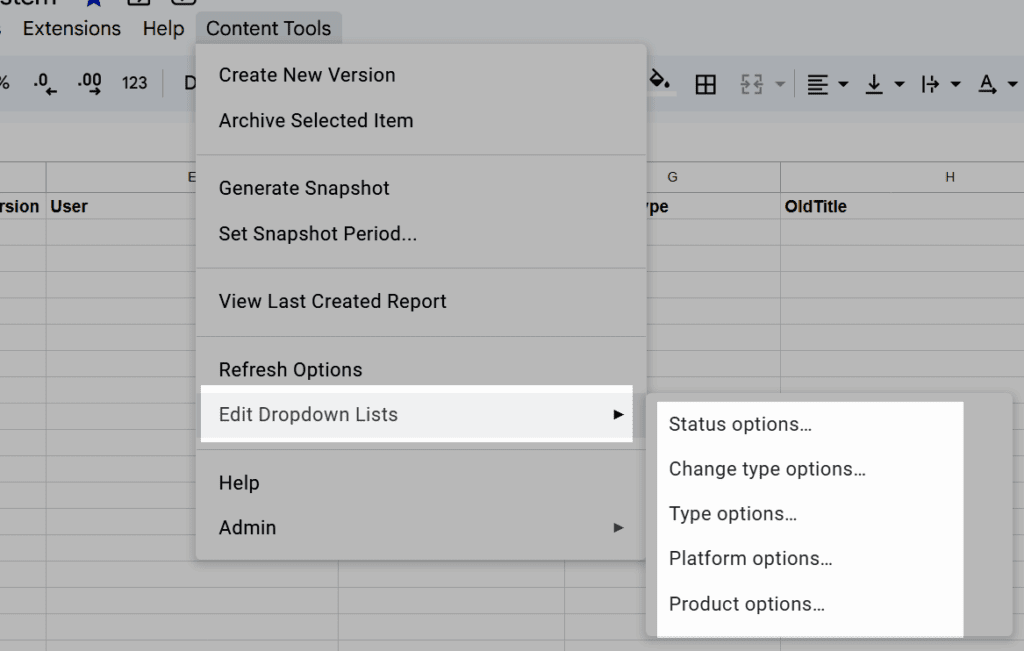
- Content Tools → Edit Dropdown Lists
- Choose the list you want
- Enter values as a comma-separated list
- Click OK
You can skip this if the defaults work for you.
System-Protected Options #
Two values can’t be removed or edited:
- Archived (Status)
- Archived (ChangeType)
They’re restored automatically even if deleted.
After Editing Lists #
Run:
Content Tools → Refresh Options
This updates the data validation rules across the sheet.


